|
Automatic metadata integration
DNA Baser can automatically integrate metadata in all your contigs.
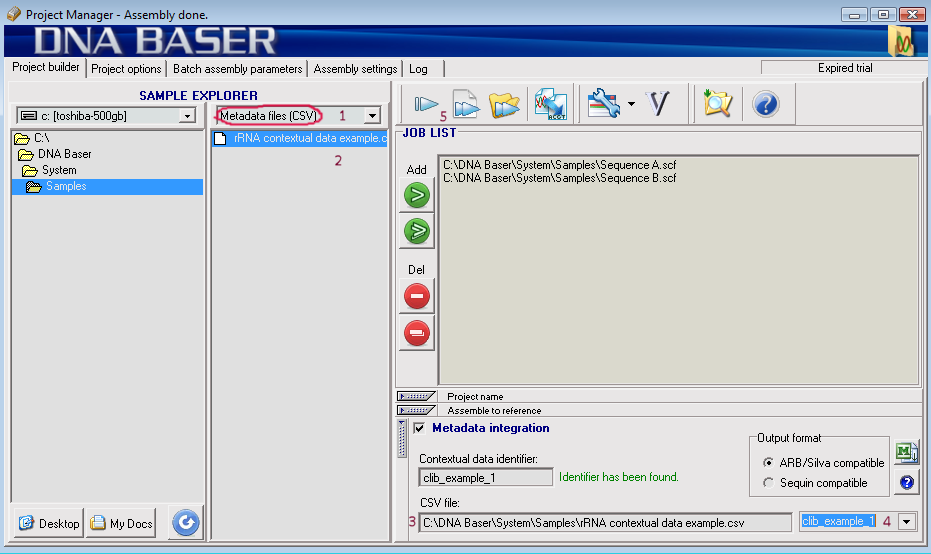
- In the "File Type" drop-down box choose CSV.
- This will make DNA Baser to display metadata files (CSV) in its Sample Explorer
- Drag and drop your metadata file into the "CSV file" field
- Choose one of the identifiers found in your metadata file. The data set identifier field is highlighted in yellow in template file provided here.
- Assemble your samples. The metadata will be inserted into your contig (FASTA) files in the "comments" field.
Related links
|






